
ADMINISTRATION - OFFICE MANUAL
Overview
-
-
The Catalogue administration side of your store is a dedicated workspace where you can upload collection assets, manage image albums, and filter content profiles. Because all cart systems are disabled, any adjustments here directly update your pure visual catalogue layout on the storefront.
-
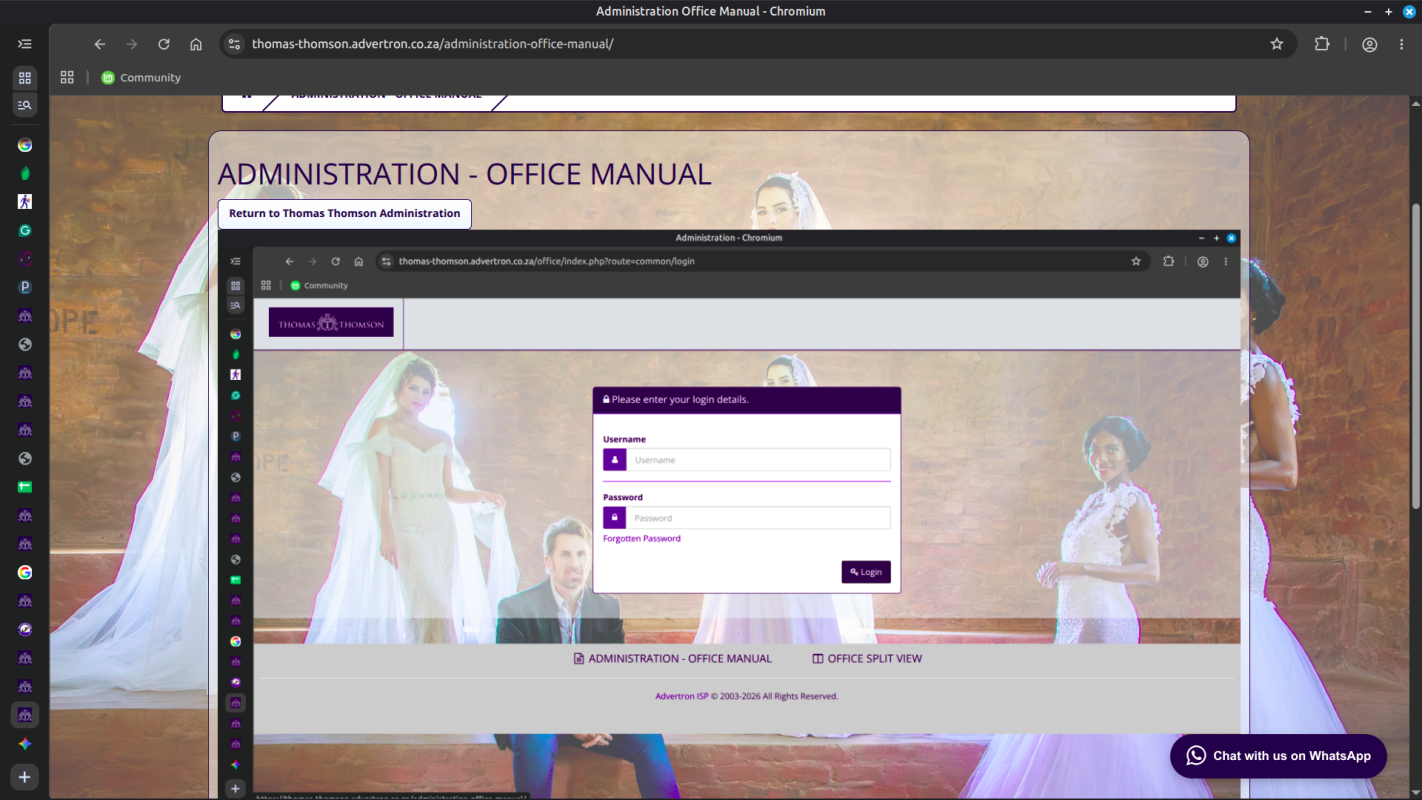
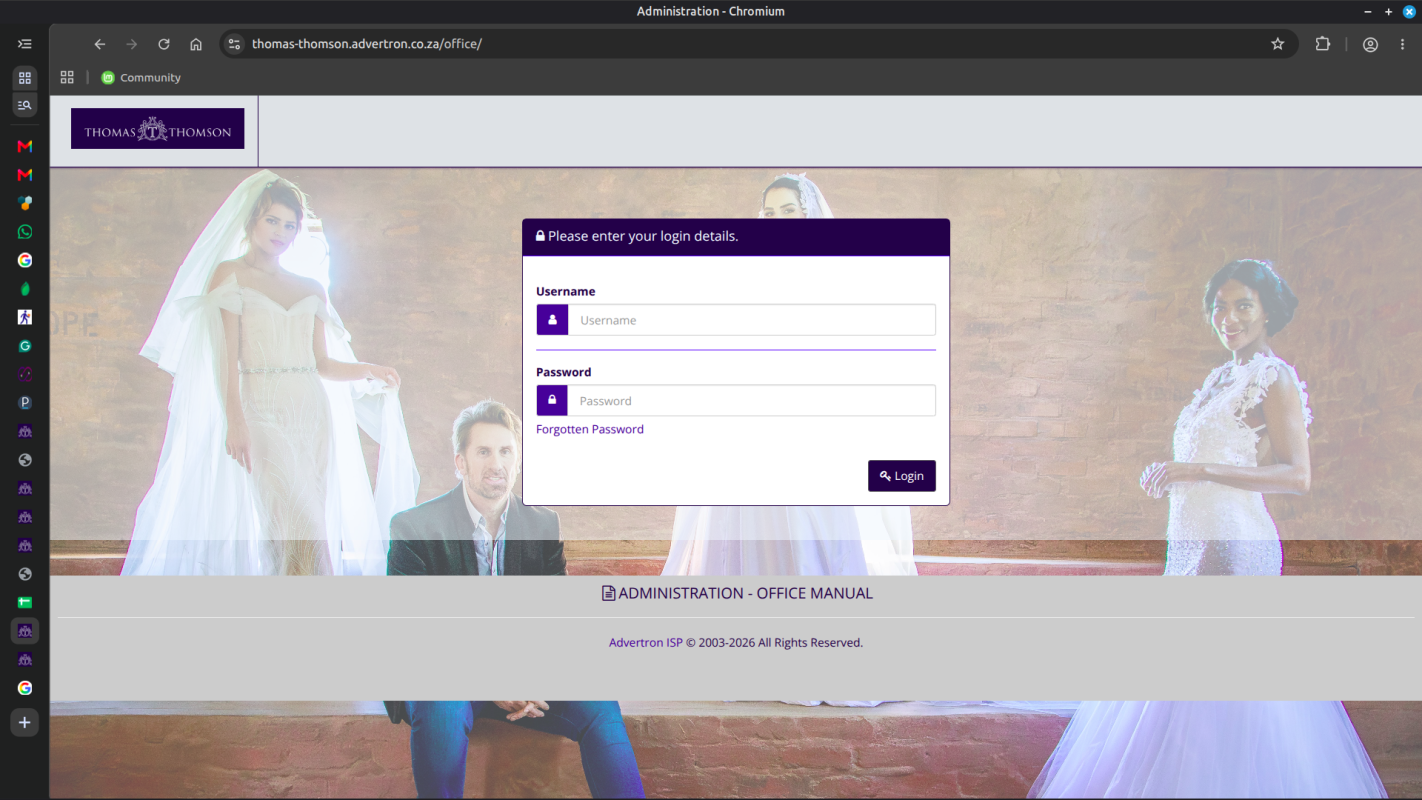
To log in to the administration system, enter the server location address followed by the custom office directory string path (/office).
The store address locates at: https://thomas-thomson.advertron.co.za/office/.
Your secure account login username and password credentials grant immediate access to the backend administration.
-
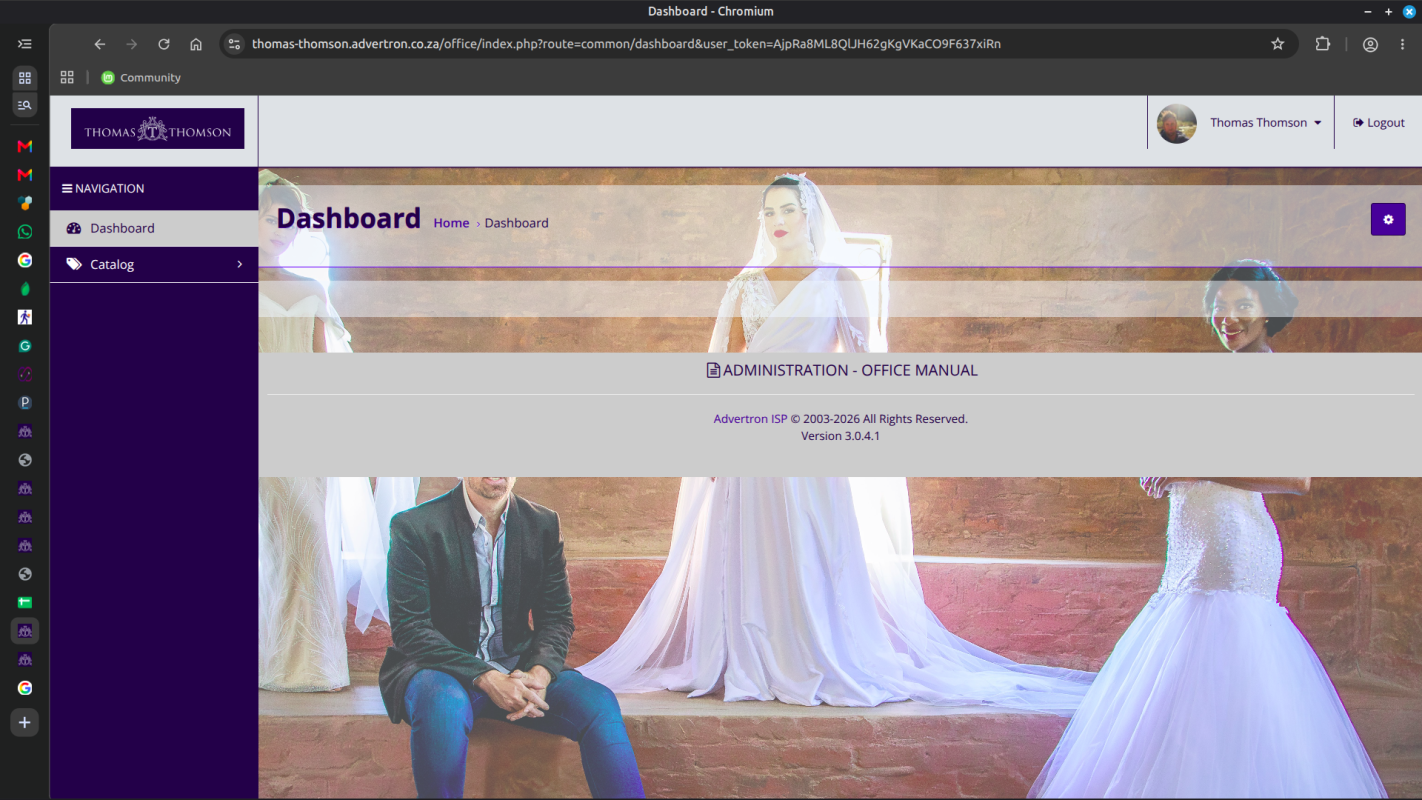
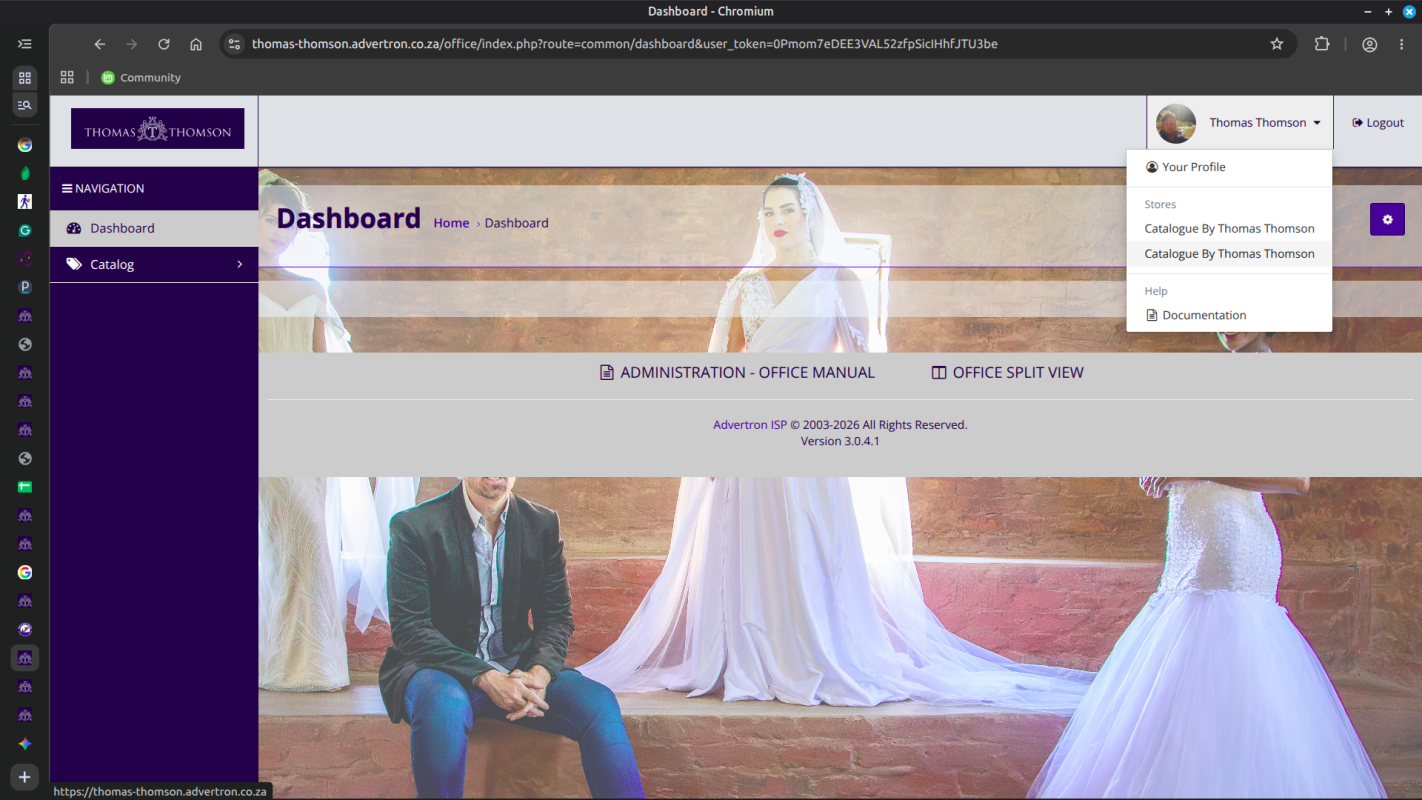
After filling in your correct username and password, clicking on the (Login) button will direct you to the dashboard. When you first log in to the shop administration panel, the dashboard may be empty, as can be seen in the image below. Because all transaction options are removed from your portfolio site, the entry screen serves as a clean tracking hub layout for your administrative management controls matrix tree.
-
Directly left of the dashboard view is your limited navigation menu layout system. You can move between your assigned functional control sections: (Dashboard), (Catalog)-> (Products), (Filters), (Photo Gallery), (Options), (Reviews), and (Information).
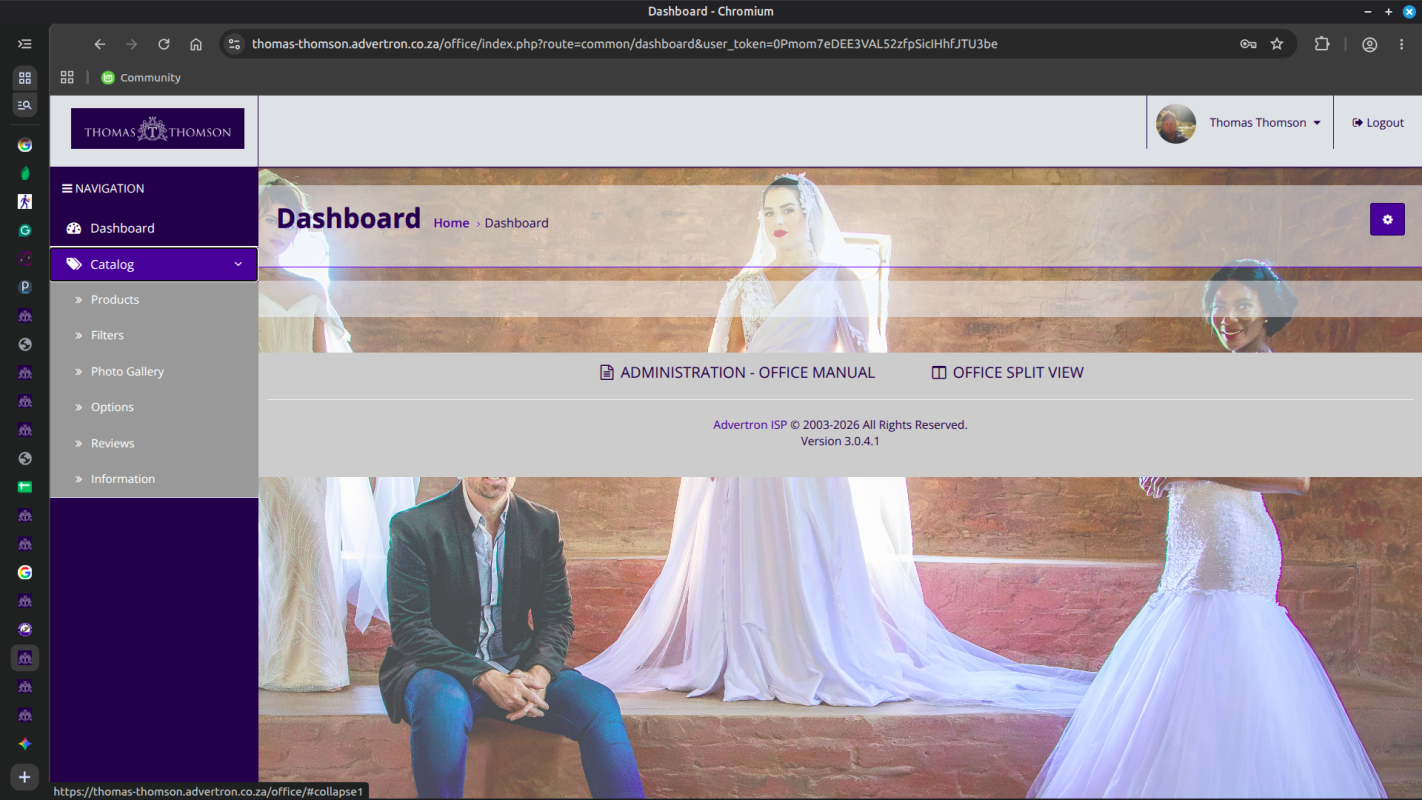
On the right in the top menu underneath your profile name in the drop-down menu is the help section. These sections will be explained in further detail in the following chapters of this user manual.
-
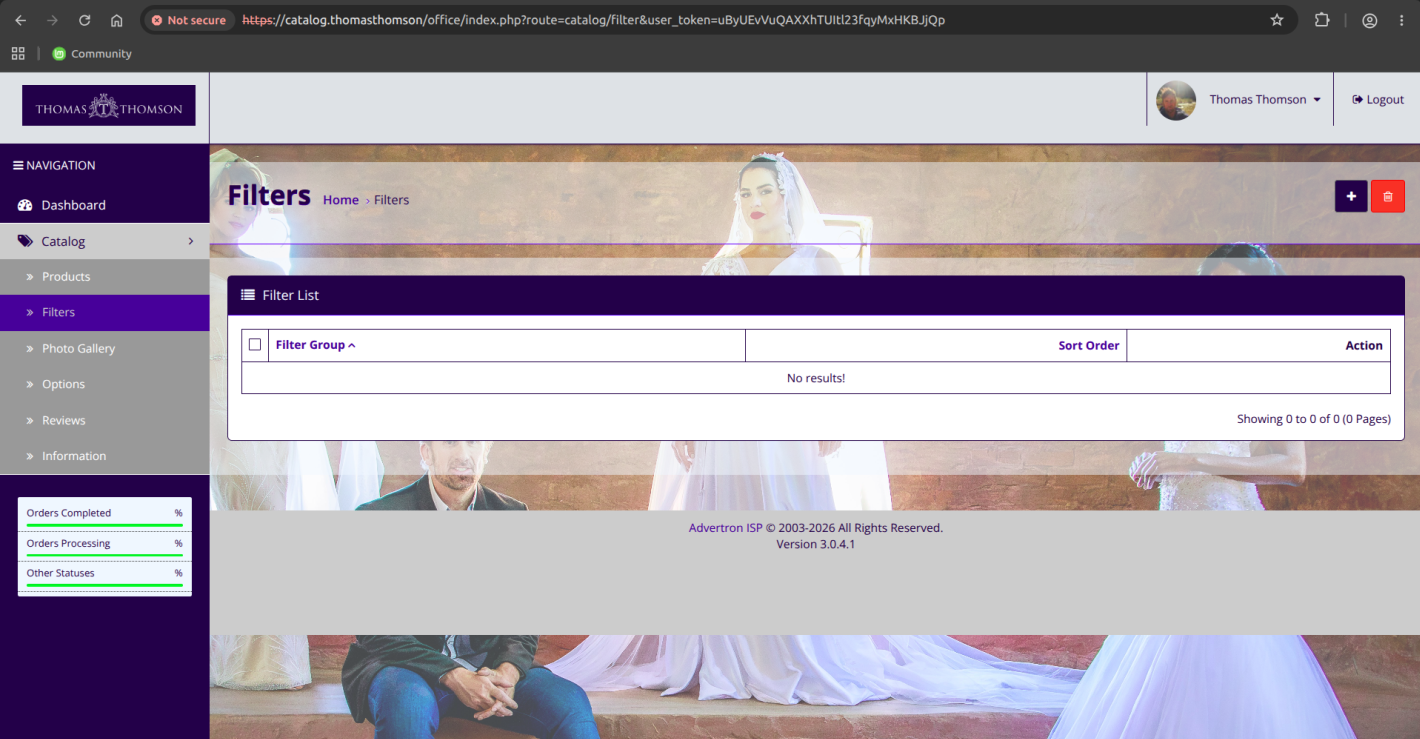
The Filter is a handy tool used regularly throughout the administration. You may type into one of the information fields for the item on the item list. Pressing Filter will (filter out) all the items in the list that do not match the criteria entered in the space, leaving only the items that match. With the Filter, you can quickly locate any information stored in list form. Products, Customers, Reports, Photo Gallery, and more use the Filter as the main search tool to locate items in a list.
For example, if you would like to look up a product in the product list, you can use the (Filter) as a shortcut to search for that product. This can be helpful when there are large amounts of products and you would like to edit a specific product without having to browse through every page for it. The search boxes are located in the first row above the product list.
-
Step 1: Create Filter Groups
Go to Catalog → Filter Groups
Click the "Add New" button.Configure Filter Group:
Field Description Required Filter Group Name Name of the filter group (e.g., "Colors", "Sizes", "Brands") Yes Sort Order Controls the display order of filter groups on storefront No Best Practices for Filter Groups:
- Use clear, descriptive group names
- Organize by customer search patterns
- Maintain consistent naming conventions
- Consider mobile display limitations
Common Filter Groups:
- Size Filters: Clothing sizes, dimensions
- Color Filters: Product colors, finishes
- Brand Filters: Manufacturer or brand
- Feature Filters: Specific product features
- Price Range: Budget-based filtering
Step 2: Create Individual Filters
Go to Catalog → Filters
Click the "Add New" button.Configure Filter Values:
Field Description Required Filter Name Name of the filter value (e.g., "Red", "Large", "Nike") Yes Filter Group Select the appropriate filter group Yes Sort Order Controls the display order within the filter group No Filter Configuration Tips:
- Use clear, descriptive filter names
- Assign to appropriate filter groups
- Set logical sort orders for better user experience
- Add multi-language translations if needed
Example Filter Values:
- Colors: Red, Blue, Green, Black, White
- Sizes: XS, S, M, L, XL, XXL
- Brands:Nike, Adidas, Apple, Samsung
Step 3: Assign to Categories
Go to Catalog → Categories
Edit the category where filters should appear.
Navigate to the Data tab and find the Filters field.Add Filters to Category:
- Click in the Filters field
- Select the filters you want to appear for this category
- Click Save to apply changes
Category Filter Strategy:
- Assign relevant filters to each category
- Consider category-specific filter needs
- Avoid overwhelming customers with too many filters
- Test filter combinations for effectiveness
Example: For a "Desktop Computers" category, you might assign:
- Brand: Dell, HP, Apple
- Processor: Intel i5, Intel i7, AMD Ryzen
- RAM: 8GB, 16GB, 32GB
Step 4: Assign to Products
Go to Catalog → Products
Edit the product you want to assign filters to.
Navigate to the Links tab and find the Filters field.Add Filters to Product:
- Click in the Filters field
- Select the appropriate filters for this product
- Click Save to apply changes
Product Filter Assignment:
- Assign all relevant filters to each product
- Ensure filter assignments match product attributes
- Use consistent filter assignments across similar products
- Verify filter combinations work correctly
Example: For "Red Nike Running Shoes":
- Color: Red
- Brand: Nike
- Type: Running Shoes
Step 5: Enable Module
Go to Extensions → Modules
Find Filters in the module list.
Click the Install button if not already installed, then click Edit to configure.
Set Status to Enabled.Module Configuration Tips:
- Enable the module for filters to appear on storefront
- Choose appropriate layout positions
- Test different positions for optimal user experience
- Consider mobile responsiveness
Practical Example: Color Filters
Let's walk through a complete example of setting up color filters for a clothing store:
Step 1: Create Filter Group
Go to Catalog → Filter Groups → Click Add New.
Set Filter Group Name:Colors| Sort Order:1→ Click Save.Step 2: Create Filter Values
Go to Catalog → Filters → Click Add New.
Set Filter Name:Red| Filter Group:Colors| Sort Order:1→ Click Save.
Repeat for: Blue (Sort Order: 2), Green (Sort Order: 3), Black (Sort Order: 4), White (Sort Order: 5).Step 3: Assign to Category
Go to Catalog → Categories → Edit
Clothingcategory → Go to Data tab.
In Filters field, select:Red,Blue,Green,Black,White→ Click Save.Step 4: Assign to Products
Go to Catalog → Products → Edit a red t-shirt product → Go to Links tab.
In Filters field, select:Red→ Click Save.Step 5: Enable Module
Quick Steps:
- Go to Extensions → Modules
- Find and enable the Filters module
- Configure layout and position settings
- Click Save
-
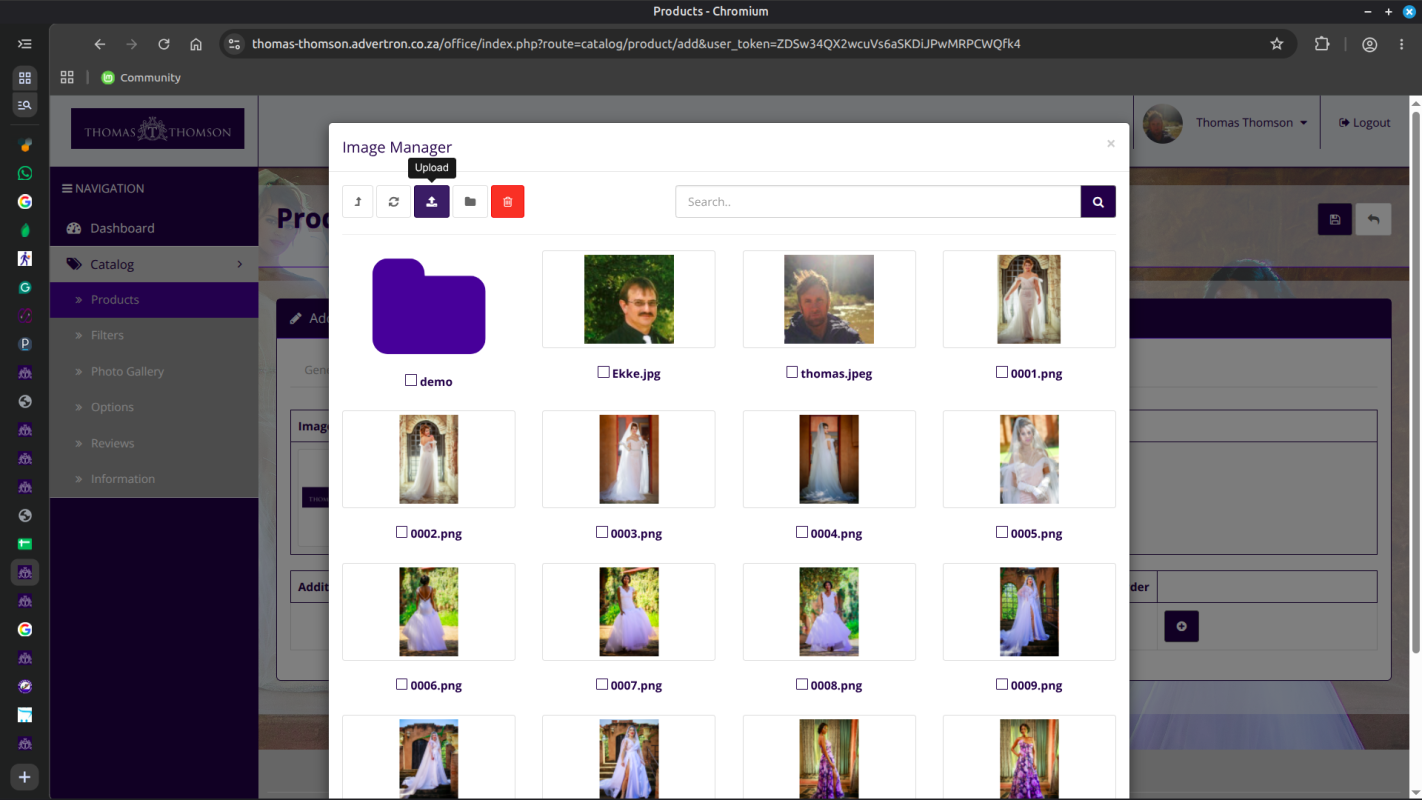
The Image Manager is a tool used in the administration to upload image files. Banners, product images, the store logo will all need images to be uploaded using the Image Manager.
This function can be opened in Catalog -> Product, Banner, Store setting pages, etc which is needed to edit the image for the store.
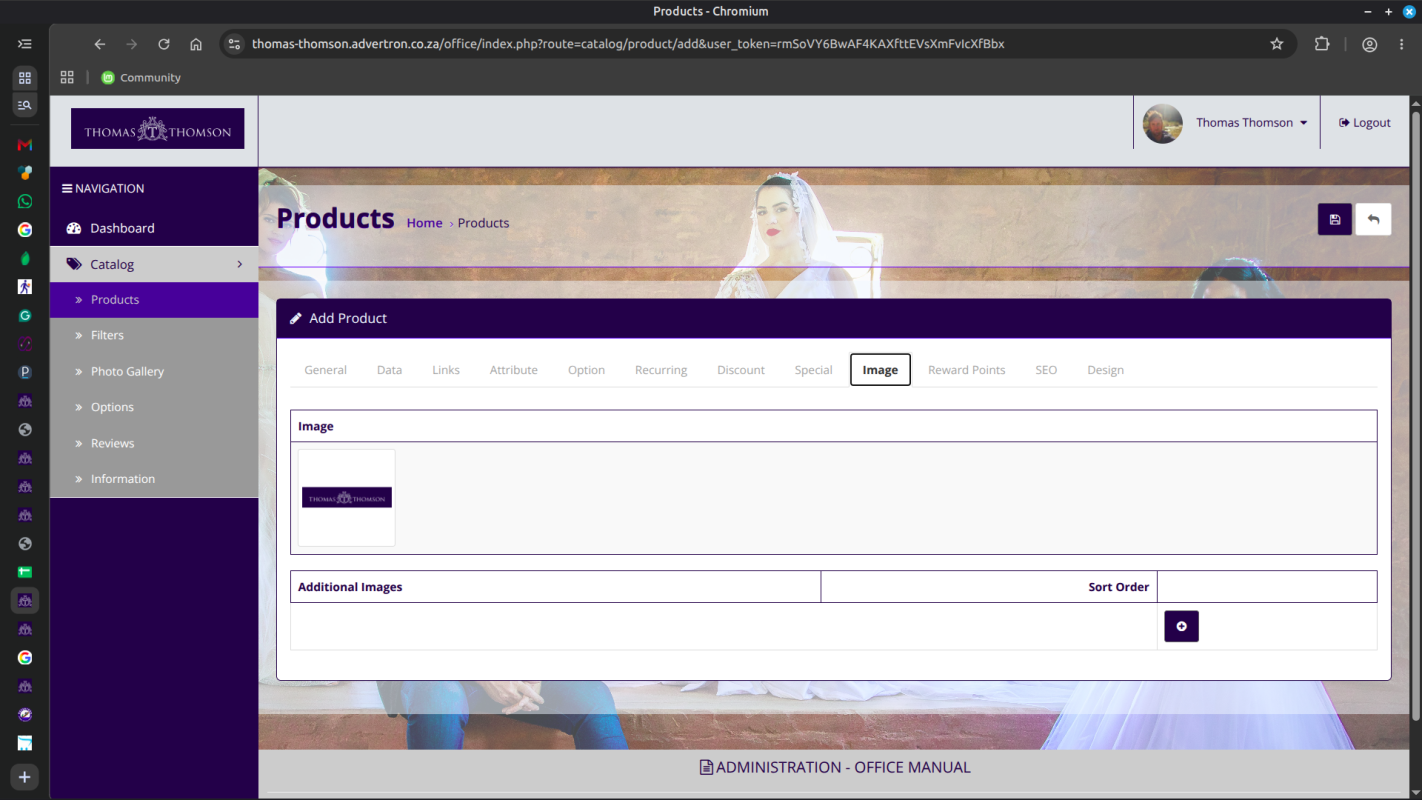
By clicking the button will open up a new window called the (Image Manager). Click the Upload button in the toolbar, which will open up your computer's file directory to directly add them. The images below were provided for the products already loaded. If you need to delete an image, select an image by checking the checkbox next to the name of one and pressing the button in the toolbar to delete it.
-
Garment Showcase Entries
-
Adding & Editing Showcase Garments
-
To assign items into specific collection pages, navigate to Catalog > Products and edit a design entry sheet. On the General tab, fill out your description headings. On the Data tab, load your portfolio media files via the file system manager popup window.
⚠️ Critical Note: Always leave prices, quantity fields, and tax dropdown choices completely blank or at zero. The custom presentation templates completely ignore these values.
-
To place the design inside a specific menu album, click on the Links settings panel row tab, click inside the Categories text entry form, type your target profile (e.g., "Evening Wear"), and click on the keyword when it populates to save the binding.
-
Search Tools & Attributes
-
Filtering Content via Lists
-
The Filter row tool is a search utility used across your database list tables. You can type keywords into the input boxes directly above the data columns. Pressing the filter button hides mismatched values, isolating specific entries instantly without manual browsing.
-
You can also use this system tab configuration to manage design filters on collection category grids, letting site visitors filter lookbook items by attributes, cuts, or seasonal collections.
-
Home Grid Portfolio Management
-
Uploading New Gallery Media Records
-
The Photo Gallery section manages the custom image layout array displayed across the front page grid layout of the storefront domain (
thomas-thomson.advertron.co.za). -
Click Add New (+) to create a card wrapper profile. Type your caption heading titles and enter detailed design notes into the editor workspace framework. Click the image placeholder container window to launch the file image manager popup tool, select your photo file upload, set status to **Enabled**, and save changes.
-
Sort Order Sequence: Use numeric values (e.g.,
1,2,3) inside the layout options input box to specify the matrix sequence grid matching position of your assets. Lower numbers display first.
-
Design Specific Specifications
-
The Options segment allows you to register detailed fabric composition profiles, garment sizes, or color variants. These settings can be loaded onto product sheets to show lookbook details without using shopping checkout inputs.
Visitor Moderation Management
-
The Reviews logging module lists all messages and feedback left behind by visitors looking at your collections on the frontend site. You can read entries, approve valid notes to make them live on item details views, or clear out spam rows safely.